
Connect reports together with myDBR – build your report network
Allowing users to navigate through their data is one of the features of a good reporting system. With myDBR’s report network, you can achieve this.
You can connect a report (or several reports) to any report object (list, chart or graph). Reports can pass their parameters to the next report and/or use selected data from the report itself as input for navigation.











Diagram: reports are connected to each other. Selecting an item in one report opens the next report, building a report network across Finance and Personnel.
Link to anything, build dynamic reports
With a report network, you can build a very powerful reporting structure that is also logical to the end user. When users see something interesting in a report, they can immediately get more information about it. Reuse of reports and report structure also brings direct savings in development and maintenance.
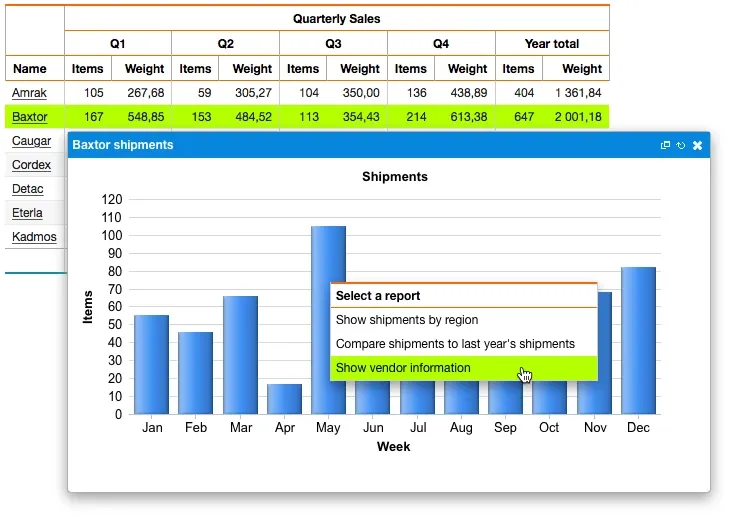
You can attach a link to any object in a report (rows, cells, individual chart elements). Users can drill down precisely to any data in the report.
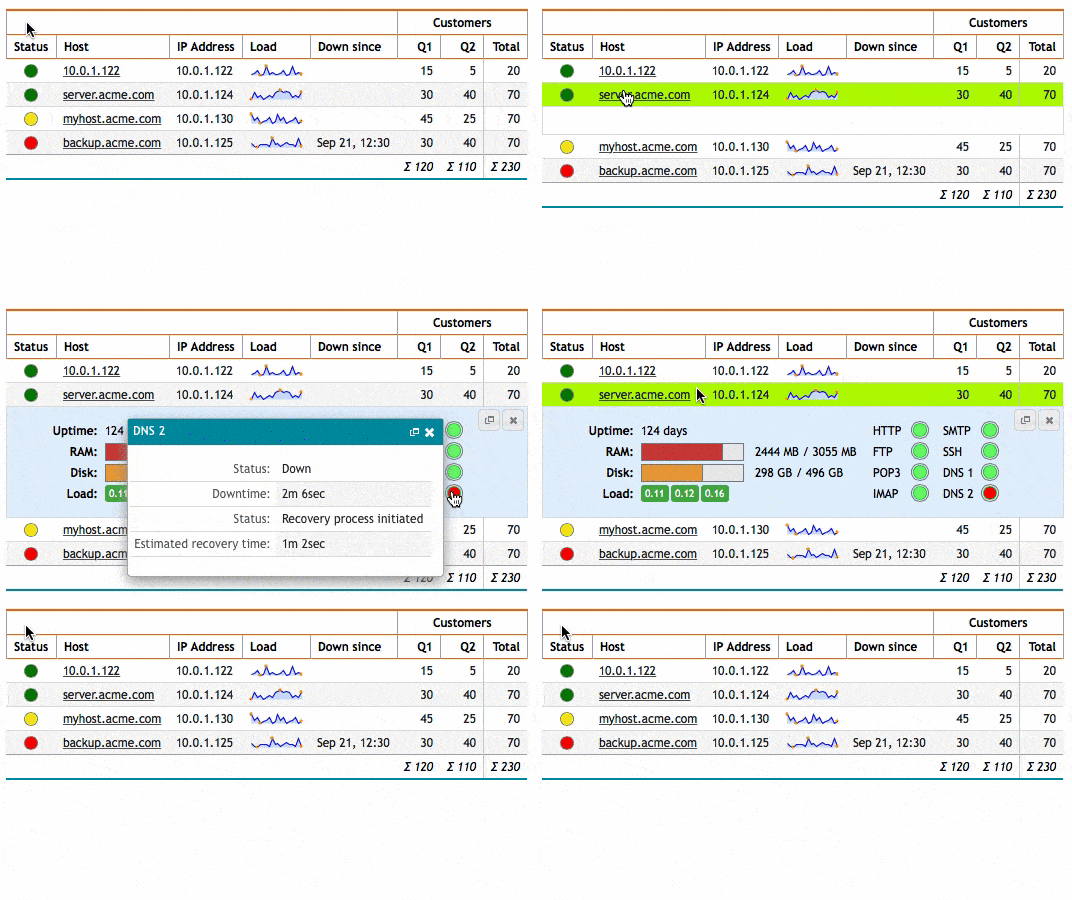
You can also define where the linked report is shown: go to the linked report, show it in a new window, directly inside the current report, in a pop-up window inside the report, use it as an inline element, and so on.
myDBR’s flexibility lets you create a logical structure for the user, so that the user does not lose the context when drilling into a new report.
Ready to try myDBR?
Download the free Community version, or explore the live demo first.