Code Snippets
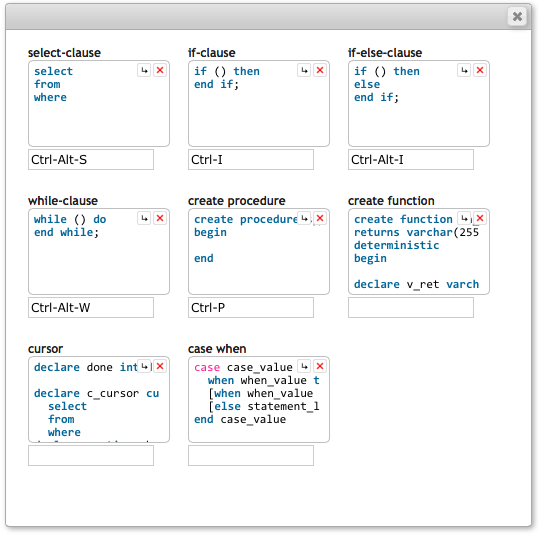
myDBR includes pre-defined code snippets to accelerate report development. You can also create custom snippets and assign keyboard shortcuts to them.
To create a new snippet, select the desired text in the editor and click the Code snippets button. If no text is selected, clicking the button opens the snippets palette.
To insert a snippet into the editor, click the corresponding snippet in the palette. The code will be inserted at the current cursor position.
The cursor position following insertion can be configured by clicking the Move Cursor icon ( ). The relative movement is defined by the number of characters (right) and lines (down) from the insertion point.