Pageview Report
The Pageview feature allows you to display data in a vertical 'record' format. This is particularly effective for single-record result sets where a horizontal row layout might be difficult to read.
For example, a report returning a single row of data normally looks like this:

When a result set contains many columns, the Pageview layout provides a more readable presentation. By placing the dbr.pageview command before your query, each column in the following result set is transformed into a labeled row.
select 'dbr.pageview';

select f.title as 'Title',
       f.description as 'Description',
       f.release_year as 'Release year',
       f.rating as 'Rating',
       l.name as 'Language'
from mydb.film f
  join mydb.language l on f.language_id=l.language_id
where f.film_id = vID;
The resulting output will look like this:
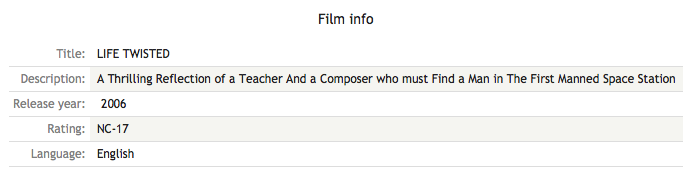
If the query produces multiple rows, each is rendered as an individual record.