Push Notification Extension
The Push Notification extension lets you send push notifications to iOS, Android, and desktop devices, enabling alerts for important events in your system. The feature is available in both interactive and scheduled reports.The following push notification services are supported. Each requires the respective app to be installed on your device:
Pushover— iOS, Android, Desktop, Android Wear, and Apple WatchProwl— iOS, DesktopPushbullet— Android, Windows, Firefox, and ChromePushsafer— iOS, Android
Configuration is done via user/extension_init.php. Specify which service to use by default (this can be overridden per report using dbr.push.options) and provide the API key for each service you intend to use.
$mydbr_push = [
  'sender' => "pushover", // Default sender: pushover, pushbullet, prowl
  'pushover_app_api_token'  => "APP_TOKEN",
  'pushbullet_access_token'  => "ACCESS_TOKEN",
  'pushsafer_private_key' => "PRIVATE_KEY"
];
Commands
dbr.push - Sends a push notification
dbr.push.sender - Selects a notification provider (prowl, pushsafer, pushover, pushbullet), overriding the default configured in $mydbr_push
dbr.push.option - Configures a service-specific option
dbr.push.notify_successful_push - Suppresses the "Push message sent" confirmation message
dbr.push.log.proc - Logs push notification activity to a specified database procedure
dbr.push.debug - Displays the status for each message sent for troubleshooting
Syntax
select 'dbr.push';
select 'dbr.push.sender', 'prowl' | 'pushsafer' | 'pushover' | 'pushbullet'
select 'dbr.push.option', 'option', 'value'
select 'dbr.push.notify_successful_push',  0
select 'dbr.push.log.proc',  'sp_log_stored_procedure'
select 'dbr.push.debug', 1
Syntax Tips
Options for Prowl
-
providerkey
Your provider API key. Required only if your application has been whitelisted. -
priority
Priority level: -2 (Very Low), -1 (Moderate), 0 (Normal), 1 (High), 2 (Emergency). -
application
The name of the application generating the event.
Options for Pushsafer
Refer to the Pushsafer dashboard for details.
-
private_key
The private key (if not already provided in$mydbr_push). -
device
A single Device ID, a Device Group ID, or 'all' to target all devices. -
sound
Sound ID (0-62). -
vibration
Vibration pattern (1-3). -
icon
Icon ID (1-181). -
iconcolor
Hexadecimal color code (e.g., #FF0000). -
url
A supplementary URL or link. -
urltitle
The title for the supplementary URL. -
picture
A data URL containing a Base64-encoded image string. -
imagesize
0 (1024px), 1 (768px), 2 (512px), 3 (256px). -
timetolive
Duration in minutes (0-43200) before the message is automatically purged. -
priority
Priority level: -2 (Lowest), -1 (Lower), 0 (Normal), 1 (High), 2 (Highest). -
retry
Interval in seconds (60-10800, in 60s steps) for resending the message. -
expire
Total duration in seconds (60-10800) before retries stop. -
answer
Enables user responses: 1 (Possible), 0 (Not possible). -
answeroptions
Predefined answer choices separated by a pipe (e.g., "Yes|No|Maybe"). -
forceanswer
Forces a user response: 1 (Yes), 0 (No). -
confirm
Interval in seconds (10-10800, in 10s steps) for repeating the message until confirmed. -
giphygifcode
A GIPHY GIF code (e.g., 8dMU9pN4pGwEfVpdY4).
Options for Pushover
-
token
The application token (if not already provided in$mydbr_push). -
device
The specific device name to receive the message (defaults to all user devices). -
url
A supplementary URL to display with the message. -
url_title
The title for the supplementary URL. -
priority
Priority level: -2 (No notification), -1 (Quiet notification), 1 (High-priority, bypasses quiet hours), or 2 (Requires user confirmation). -
timestamp
A Unix timestamp to display as the message time. -
sound
Specifies an alternative notification sound supported by the client.
Options for Pushbullet
-
access_token
The access token (if not already provided in$mydbr_push). -
target
Recipient type: 'device_iden', 'email', 'channel_tag', or 'client_iden'.
Configuration
Extension configuration is managed via user/extension_init.php. Define the default service provider and provide the necessary API keys for each service you intend to use.
$mydbr_push = [
  'sender'  => "pushover", // Default sender: pushover, pushbullet, prowl
  'pushover_app_api_token'  => "APP_TOKEN",
  'pushbullet_access_token'  => "ACCESS_TOKEN",
  'pushsafer_private_key' => "PRIVATE_KEY"
];
Usage
Sending a Basic Notification
When a default sender is configured, you can send a notification as follows:
select 'dbr.push';

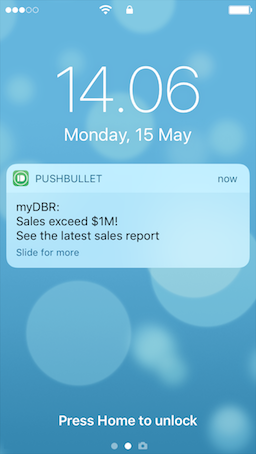
select 'John.Doe@gmail.com', 'Sales exceed $1M', 'Check the latest sales figures https://company.com/mydbr/report';
Specifying a Sender and Options
The following example demonstrates how to override the default sender and apply service-specific options:
select 'dbr.push';
select 'dbr.push.option', 'device', 'phone';
select 'dbr.push.option', 'sound', 'magic';
select 'dbr.push.log.proc', 'sp_mail_log';
select 'dbr.push.notify_successful_push', 0;
select 'dbr.push.sender', 'pushover';

select 'us2e8xm87wiiba4s6vb3ik68pmqpfr', 'Title', 'Message body';